Is Your PowerPoint Template Breaking Copilot?
Rogue slide masters, inverted theme colors, and broken placeholders cause Copilot to ignore your brand. Upload your template — see your Copilot Readiness Score instantly and fix structural issues in one click.
No credit card required. See your score in under 30 seconds.
Your template is why Copilot isn't working
Microsoft Copilot generates presentations based on your template's structure. But most corporate templates weren't built for AI. Inverted theme colors cause invisible text. Mislabeled layouts get skipped entirely. Unused slide masters bloat the file and confuse content placement. Overlapping placeholders break every slide Copilot creates.
DeckTrue checks your PowerPoint template against Microsoft's published Copilot guidelines and auto-repairs the issues that break AI-generated presentations. It's the setup step Microsoft assumes you've already done.
Stop feeding Copilot a broken template.


per deck spent on manual brand cleanup after Copilot generates slides. Proper template setup reduces that to under 10 minutes.
Your Templates Are Breaking. You Just Don't Know It Yet.
Every time someone copies slides from an old deck, pastes content from another agency, or opens a file in a different version of PowerPoint, your template picks up new masters, off-brand fonts, and rogue colors. Over time, the file bloats. Formatting breaks. And the "official template" your brand team approved doesn't look anything like what your team is actually sending to clients.
Microsoft Copilot makes it worse. If your template has structural issues — and most do — Copilot will generate slides with invisible text, wrong colors, and broken layouts. The AI is only as good as the template it's building on.
You don't have a Copilot problem. You have a template problem.

One Tool. Three Fixes. Brand-Perfect Decks.
DeckTrue scans, diagnoses, and repairs the template issues that cause brand inconsistency and Copilot failures. Diagnosis is free — fixes are one click.
Template Fix for Copilot
Check your PowerPoint template against Microsoft's Copilot guidelines and auto-fix what's broken — inverted theme colors, missing backgrounds, mislabeled layouts, placeholder z-order issues. Download the fixed template and make Copilot work the way it should.
Make your template Copilot-ready without touching a single XML file.
Run Brand Check
Scan every slide for off-brand colors, non-approved fonts, and missing required text. See exactly what's wrong, where, and fix each issue with one click.
Catch the wrong shade of blue before your client does.
Clean Rogue Slide Masters
Every time someone copies slides from another deck, your file inherits their slide masters, layouts, and formatting. A 28 MB frankendeck becomes an 8 MB clean file — instantly. Remove unused slide masters and reduce PowerPoint file size in one click.
Stop sending 30 MB attachments that bounce from inboxes.
Brand-Compliant Decks in Three Steps
Upload your PowerPoint template
Drop your .pptx file. DeckTrue extracts your brand colors, fonts, and slide master structure — then scores your template's Copilot readiness in under 30 seconds.
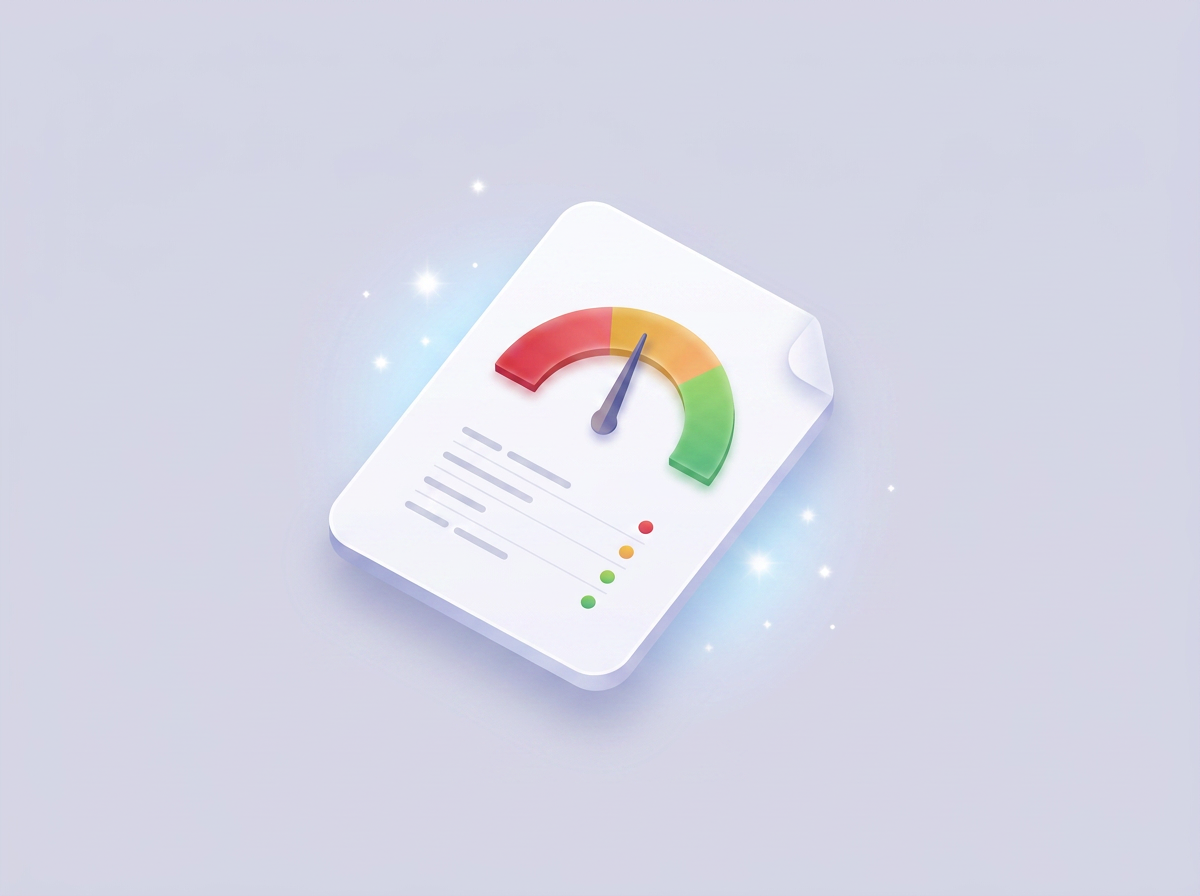
See what's broken
Get your Copilot Readiness Score with a detailed breakdown of every issue — rogue slide masters, inverted theme colors, broken placeholders, mislabeled layouts. See which issues can be auto-fixed and which need designer attention.

Fix and download
Auto-fix structural issues instantly. Download your cleaned, Copilot-ready template with reduced file size and correct slide master structure. Then use it to run Brand Checks on any deck your team creates.
See every brand issue. Fix them instantly.
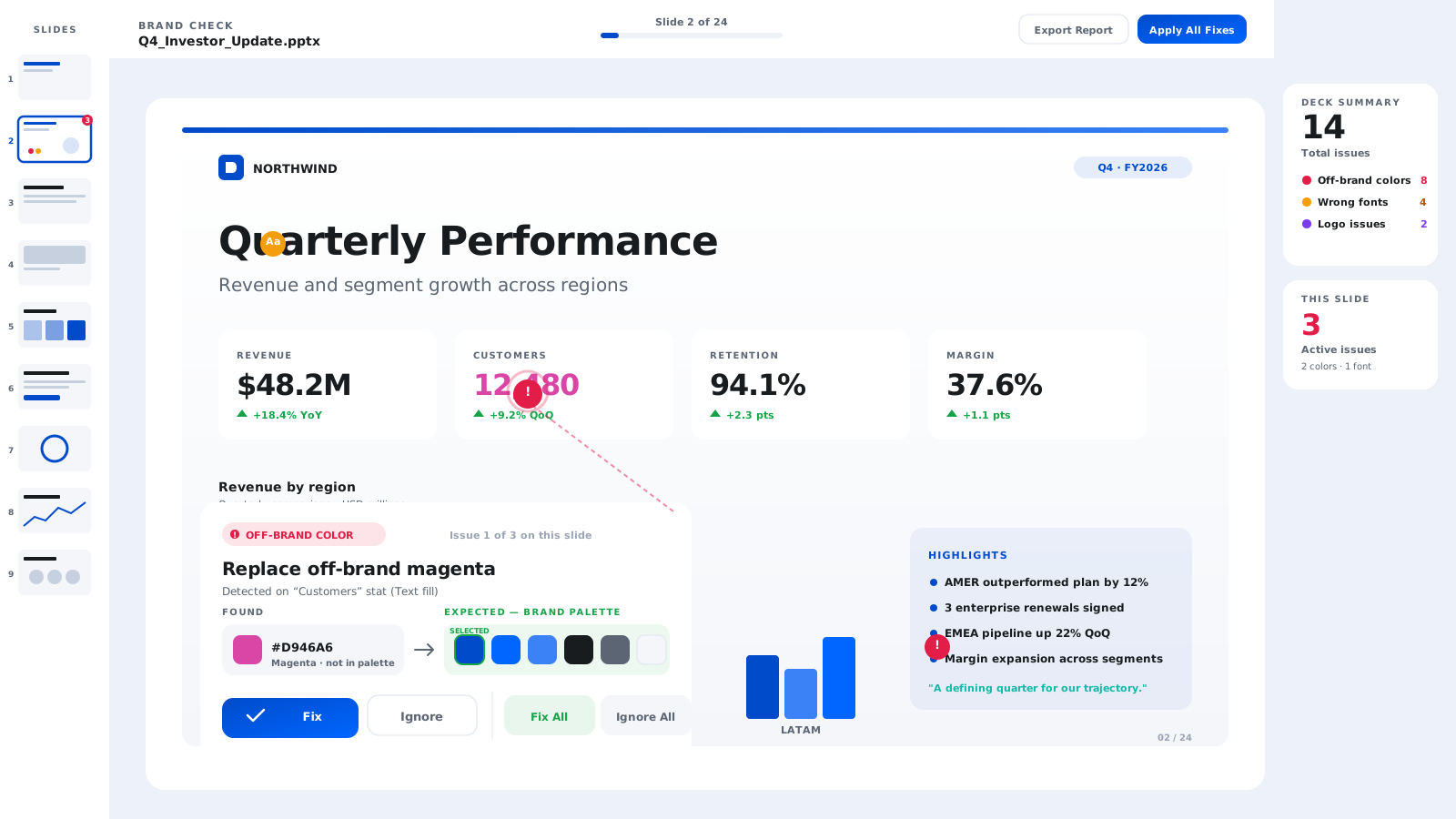
DeckTrue scans every slide for off-brand colors, non-approved fonts, and missing required text — the formatting issues that accumulate every time someone copies slides from another deck. See exactly what's wrong, where, and fix or ignore each issue with one click.
The difference is obvious
- close34 slide masters, 28 MB file
- close24 off-brand colors across 7 slides
- close5 non-approved fonts
- closeTemplate fails Copilot readiness checks
- closePowerPoint found a problem with content in this file
- check_circle2 slide masters, 8 MB file
- check_circleZero brand violations
- check_circleAll fonts match brand profile
- check_circleTemplate passes all 11 Copilot readiness checks
- check_circleOpens clean. Every time.
Built for proposal managers, consultants, brand teams, and anyone whose PowerPoint template needs to work with Copilot.
Simple pricing. No surprises.
Free
Current plan- checkUpload your PowerPoint template
- checkCopilot Readiness Score
- checkFull issue breakdown
- checkBrand Profile setup
Starter
- checkEverything in Free, plus:
- checkAuto-fix structural issues
- checkDownload fixed templates
- checkClean rogue slide masters
- checkBrand Check on decks (20 credits/mo)
- checkPDF compliance reports
- checkTop-up credit packs available
Pro
- checkEverything in Starter, plus:
- check60 credits/month
- checkUnlimited slide master cleanup
- checkPriority processing
- checkFuture features included
- checkPriority support
Credit-based pricing for a tool you use when you need it, not every day. Top up anytime if you need more.
All plans include unlimited template scanning and Copilot readiness scoring.
Frequently asked questions
What file types does DeckTrue support?
DeckTrue works with .pptx and .potx files — the standard formats for Microsoft PowerPoint templates and presentations. Files up to 50 MB.
Is the Copilot Readiness Score free?
Yes. Upload your PowerPoint template and see your score instantly — no credit card, no trial period. You get a full breakdown of structural issues: rogue slide masters, inverted theme colors, broken placeholders, and more. You only pay when you want to auto-fix the issues we find.
Does DeckTrue modify my original file?
No. DeckTrue creates a new cleaned copy. Your original file is never modified or overwritten.
What does 'Copilot-ready' mean?
Microsoft Copilot Agent Mode generates slides based on your template's structure. A Copilot-ready template has correctly defined theme colors, properly named layouts, healthy placeholders, and explicit backgrounds — so Copilot produces on-brand output. DeckTrue checks all 11 of Microsoft's published guidelines and auto-fixes what's broken.
How is this different from PowerPoint's built-in accessibility checker?
PowerPoint's checker looks at accessibility — alt text, reading order. DeckTrue looks at brand compliance — wrong fonts, off-brand colors, rogue masters — and AI readiness — template structure for Copilot. Different problems, complementary tools.
What are rogue slide masters and why do they matter?
Every time someone copies slides from another deck into yours, PowerPoint silently imports the source file's slide masters and layouts. Over time, a single presentation can accumulate dozens of unused slide masters — bloating file size, causing formatting conflicts, and confusing Copilot when it tries to generate new slides. DeckTrue detects and removes these rogue slide masters automatically.
Why does Copilot ignore my PowerPoint template?
Copilot generates slides based on your template's internal structure — not just what you see on screen. If your theme colors are inverted (dk1 is white instead of dark), your layouts are mislabeled, or your placeholders overlap, Copilot falls back to its default formatting instead of using your brand. DeckTrue checks for all of these issues and fixes the ones that can be repaired automatically.
Do I need to install anything?
No. DeckTrue is a web app. Upload your file in your browser, get results, download the fixed version. No plugins, no add-ins, no admin access required.
What are credits and how do they work?
Each Brand Check scan or Template Fix uses one credit. Your credits refresh monthly. If you need more mid-month, top-up packs are available. Rogue Master cleanup doesn't use credits on the Pro plan.
Can I cancel anytime?
Yes. Cancel your subscription at any time. No long-term contracts. Your credits remain active until the end of your current billing period.
Is my data secure?
Yes. Files are encrypted in transit and at rest. We process your template server-side and delete uploaded files within 24 hours. We never share, train on, or retain your content.



Check your PowerPoint template's Copilot Readiness Score
Upload your .pptx. Get your score in 30 seconds. Fix rogue slide masters, broken placeholders, and inverted theme colors — before Copilot makes them worse.
Check Your Template Free →No credit card required. See your score in under 30 seconds.